What it does
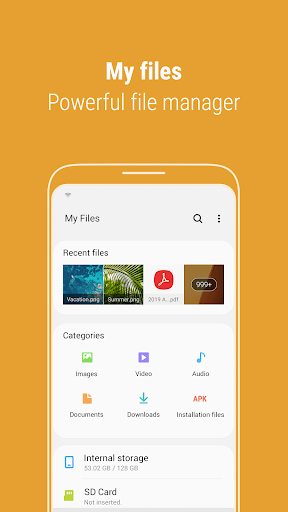
Samsung My Files is a file manager for people who want to browse and organize files on a Samsung device. It shows files in the phone’s internal storage and, where available, on an SD card or USB drive. The Tools label is broad; the app’s day-to-day job is to help you find, inspect and manage files rather than create or edit their contents.
Organizing files
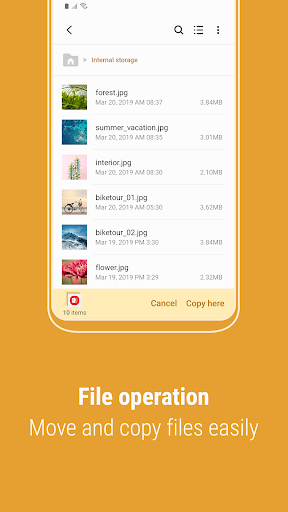
You can create folders, move or copy files, share them, and compress or decompress them. File details are available when you need to check information about an item. A Recent Files view gathers items you have downloaded, opened or run, while categories group content such as documents, images, audio, video and installation files. You can also add shortcuts to folders or files on the device home screen or the My Files main screen.
Storage and cloud
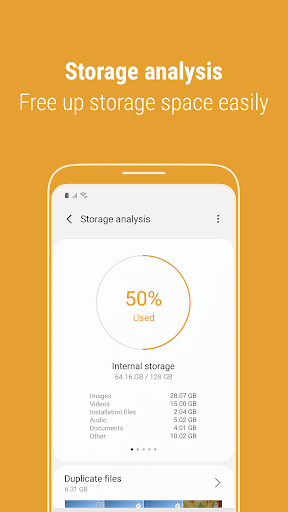
Storage Analysis helps identify how device storage is being used and offers a way to free up space. My Files can also show connected cloud storage, including Google Drive and OneDrive. The available features can differ by device model, so the exact sources and options may not be the same on every phone.
Listing details
Samsung Electronics Co., Ltd. is the developer. The listing shows a rating of 4.08 from 555,310 ratings and more than 5 billion installs. Those figures give a sense of the app’s reach; the practical fit is clearest if you regularly need to locate, sort or move files across device storage and connected drives.